
Small Medical Practices
How to choose an EHR for a small medical practice
Small teams need capable software, but they cannot afford complexity for its own sake. The best evaluation starts with the work your team repeats every day.
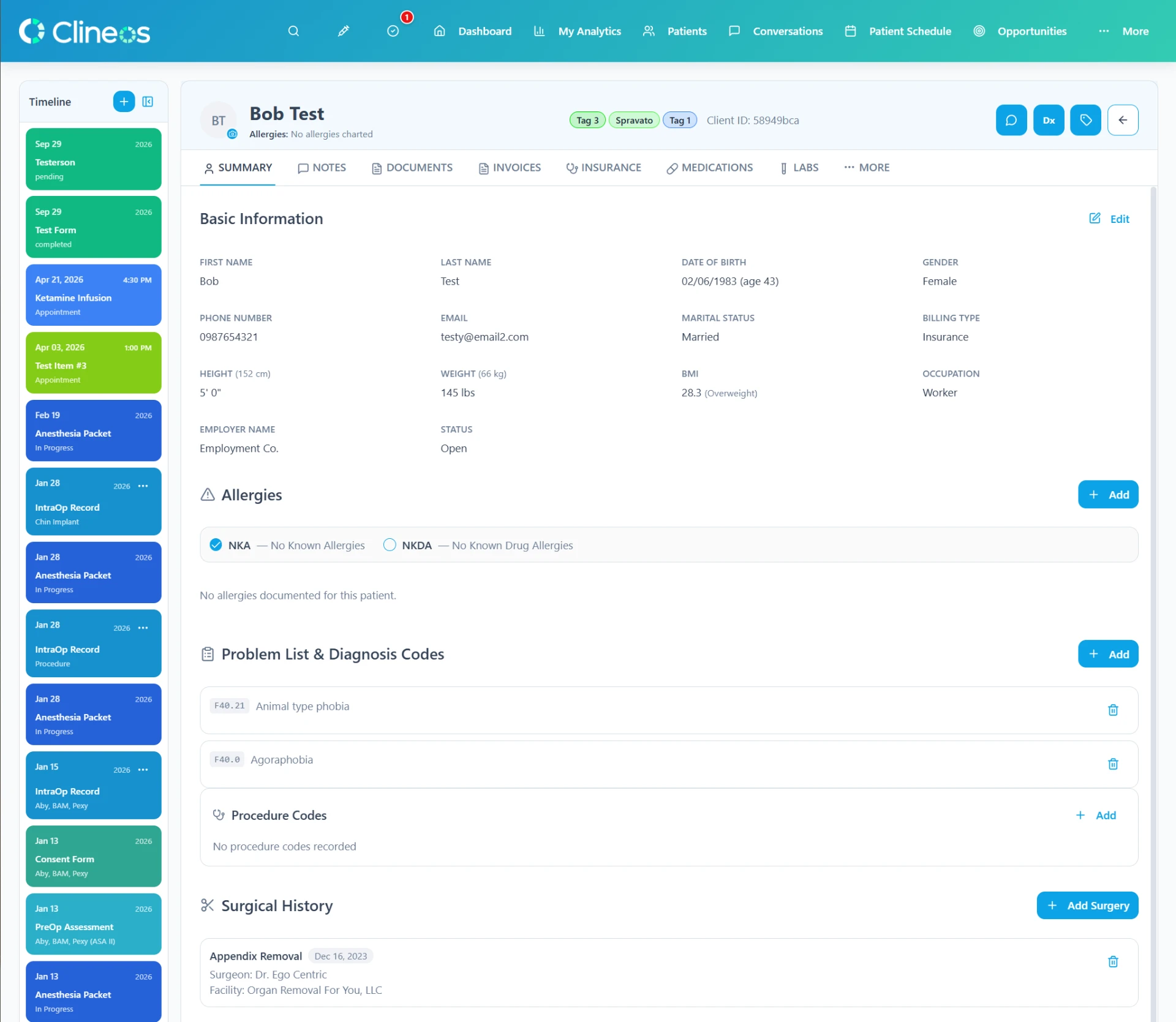
An EHR for small practices should make the practice feel more connected, not more technical. That means evaluating the chart together with the scheduling, intake, communication, staff, and operational work that surrounds it.
Count the systems around the patient chart
Start by listing every tool the practice uses during a normal week. Include the EHR, calendar, phone service, texting, email, web inquiries, form builder, staff timecards, supply sheet, and any location-specific schedule.
Then mark every place where someone copies information from one tool into another. Those transfers are where small teams often spend hidden time and where context can be lost. The goal of an all-in-one system is not to put more tabs under one logo; it is to remove meaningful rework.
1. Map the patient journey before comparing features
Use one typical patient journey as the evaluation script:
- An inquiry reaches the practice.
- Staff confirms the appropriate next step and schedules a visit.
- The patient receives and completes intake forms.
- The clinician reviews the chart and documents the encounter.
- The team sends follow-up communication when needed.
Ask each vendor to show this sequence without skipping the ordinary work. A product may be strong in one screen while leaving several manual handoffs between screens.
2. Separate must-haves from impressive extras
A small practice usually has limited time for setup, training, and ongoing system administration. Sort requirements into three groups: essential on day one, useful in the first year, and unlikely to be used. This keeps the buying decision centered on the work that matters.
Common operational questions include:
- Can we customize intake forms without waiting on the vendor?
- Can staff see patient and provider schedules clearly?
- Can phone, text, and email history remain connected to the patient?
- Can we manage staff availability and time across locations?
- Can we see supply levels and reorder needs before they interrupt work?
3. Include prospective patients in the workflow
The work starts before a person has a chart. A CRM can help the practice organize inquiries, referral sources, requested services, and follow-up so an interested prospective patient does not disappear into a shared inbox.
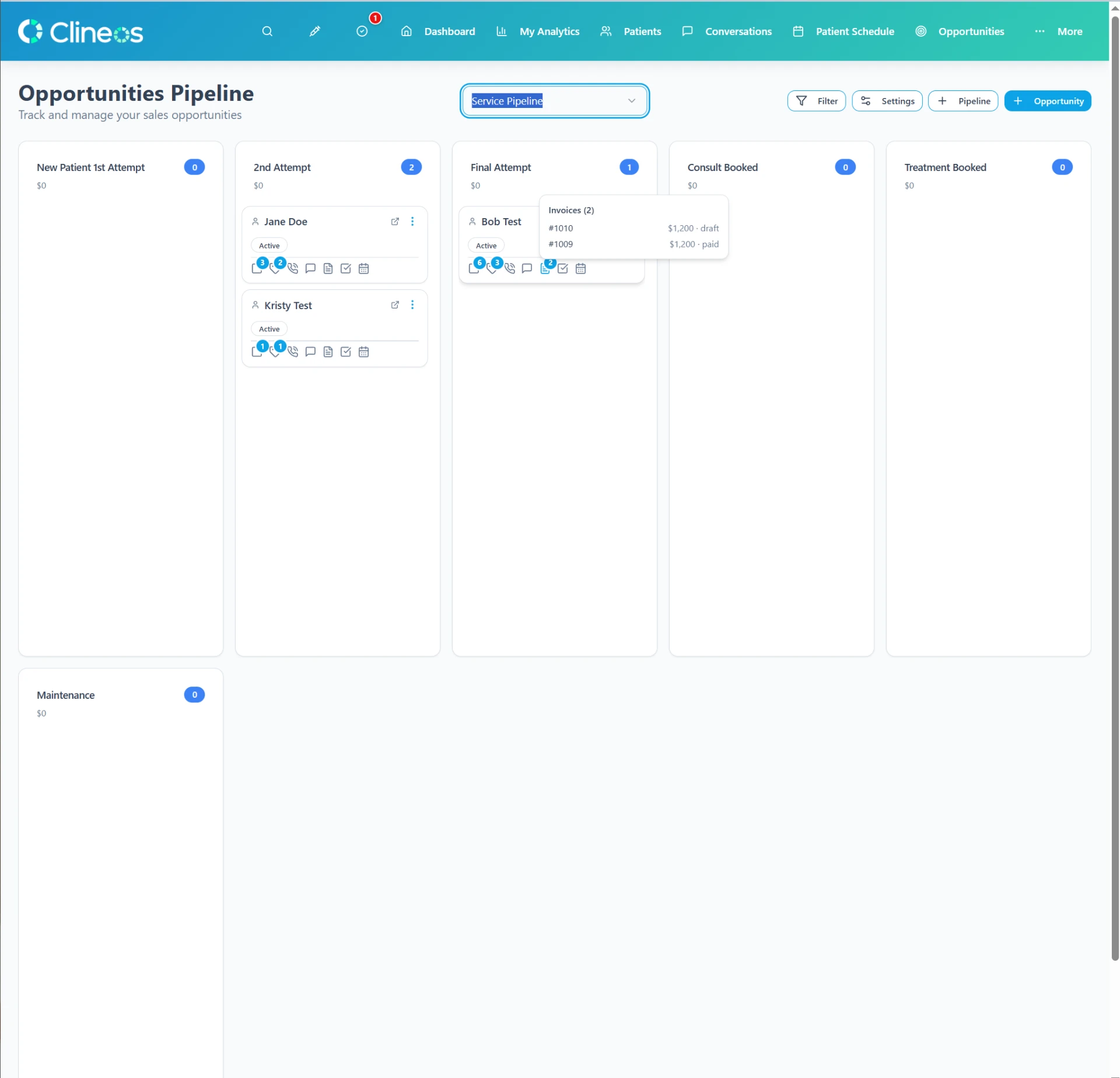
Ask how a prospective-patient record becomes a patient record and what data moves with it. The answer should fit your privacy policies and avoid creating duplicate records.
4. Evaluate the vendor as carefully as the interface
HealthIT.gov recommends collecting information from several vendors and considering needs such as privacy and security, implementation, training, and ongoing support. Ask for clear answers about data ownership, exports, service availability, support response, updates, and what happens at the end of the relationship.
5. Plan the change before signing
Decide what must be migrated, who will verify it, how staff will train, and when the old tools can safely be retired. Keep one owner accountable for each part of the transition. A phased launch may be sensible, but operating two systems indefinitely can preserve the fragmentation you intended to remove.
Set a review date after launch. Ask whether the new process reduced duplicate entry, made information easier to find, and gave patients a more consistent experience. Those observations are more useful than counting features.
The short version
Choosing an EHR for a small medical practice is an operations decision as much as a technology decision. Map the real work, test the handoffs, check the vendor, and measure whether the system reduces rework for the people who use it every day.
Clineos combines CRM, patient charts, scheduling, communication, staff time, multi-location staffing, supplies, controlled-substance tracking, and intake forms. See how the features work together.
Sources and further reading
- HealthIT.gov: How do I select a vendor?
- HHS and ONC: Strategy on reducing regulatory and administrative burden
- CMS: Quality Payment Program resources for small practices
This article is for general educational purposes and is not medical, legal, billing, or compliance advice. Requirements vary by practice, payer, state, and circumstance. Confirm obligations with qualified advisors and the agencies that govern your work.